

Glucose
Project Overview
The product:
Glucose is a mobile app that reminds persons diagnosed with diabetes mellitus to take their medications. Glucose is targeted to people diagnosed with either type 1 or type 2 diabetes mellitus, majority of the users are elderly persons from age 45 and above, and majority are diagnosed with type 2 diabetes mellitus.
Project duration:
The project lasted from March 28th 2022 to April 19th 2022.

Project Overview
The problem:
Some persons diagnosed with diabetes mellitus have difficulty in remembering to take their medications at the right time. The medications patients diagnosed with diabetes take is important to their survival and their overall health.
A study showed that the forgetting of medications for diabetic patients can lead to an increase in about 0.5% Hb1Ac and can be typically greater for type 1 diabetes mellitus patients
The goal:
-
Design an app that reminds persons diagnosed with diabetes mellitus to take their medications and also provides education on Diabetes mellitus
My role:
UX Designer leading the mobile app from conception to delivery
Responsibilities:
I was responsible for the
-
User research
-
The creation of user personas,
-
User flow, Information architecture, and Site mapping
-
Wireframing,
-
Making of low fidelity prototypes
-
Making high fidelity prototypes,
-
Conducting usability studies
Understanding the user
-
User research
-
Personas
-
Problem statements
-
User journey maps
User research: Summary
The research method was via secondary research across various research publication sites on the internet.
I chose a secondary research method because of a location constraint that made me unable to carry out primary research.
From the research publications, I was able to gather information on medication forgetting for people diagnosed with diabetes mellitus.
Forgetting of medications for people diagnosed with diabetes mellitus can lead to a 0.5% rise in HbA1c and can be much worse for people diagnosed with type 1 diabetes mellitus.
Most people diagnosed with type 2 diabetes mellitus are within the age range of 45 years and above, Those diagnosed with type 1 diabetes mellitus are much younger and are diagnosed much earlier. This information gotten from the research helped in the creation of my user personas
I identified user pain points from the research results:
Forgetting to use medications
Need more education on the benefits of adherence to medications
Meet the Users: User Persona
This user personas are a narrative description of my users, They help me and others to empathize with the users and understand their pain points.
Problem statement:
Jim is a general manager who needs to be reminded when to take his medications, because he wants to live a healthy life.
.png)
Problem statement:
Opeyemi is a Lecturer, who needs to be reminded when to take her medications because she wants to live healthy and teach her students effectively.
%20(2).png)
Problem statement:
Bialya is a pharmacist, who needs to be reminded when to take his medications and the benefit of taking his medications because he wants to be able to earn a lot of money to settle down and start a family
%20(1).png)
User Journey maps
Persona: Jim
Goal: To be able to take medications as at when due
%20(1).png)
Starting the design
-
Paper wireframes
-
Digital wireframes
-
Low -fidelty prototypes
-
Usability studies
Paper Wireframes
From my research, I found out that users will need to be able to create reminders and will also need to be educated on the benefits of adhering to medications. These results influenced my ideation and creation of wireframes.
Features like the ''create a reminder card" and "learn more card" were driven from my research results.
These wireframes were created with my user pain points in mind.


.jpg)
Digital Wireframes
After creating the paper wireframes, I went ahead to convert them to digital wireframes. As I did this, I made sure that they were easy to help my user to be able to achieve the goal of setting a reminder on an easy to use interface.
As this digital wireframes were being made, I made sure the user was always in my thought process and also made revisions that would better improve user experience different from the paper wireframes

Welcome title for the app, and the name of the user included
A card that links to the page that enables the user create reminders
add reminder page

Hamburger icon for navigation
Low Fidelity Prototype
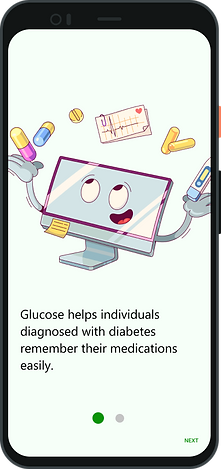
The user flow begins as the user opens the app, user is greeted with a splash screen and then giving instructions of the purpose of the app.
User is given the option to either login with their google account so as to synchronize with the Google Fit service or to continue as guest. The user then sees the homepage and sees a card showing create a reminder and is then taken to the add reminder page, after filing the necessary details, the reminder is saved and the user is directed back to the homepage.
_edited.jpg)
Usability Study Parameters and Findings

Study type
An unmoderated usability study

Participants
5 participants

Location
Nigeria, Ilorin(On-site)

Length
20 minutes
I conducted two rounds of usability study. Findings from the first study helped guide the designs from wireframes to mockups. The second study used high-fidelity prototypes and revealed what aspects of the mockup needed refining.
Findings from the first round showed that:
-
Users would like a confirmation after selection of either login or continue as guest
-
Would've liked a section of the app that educated and shed more light about the disease.
Findings from the second round of usability study showed:
-
I needed to refine the user interface to make it user friendly
-
Users would like a screen that tells and shows the features of the app
Refining the design
-
Mockups
-
High-fidelity prototype
-
Accessibility
Mockups
Early designs were built with the user in mind and to help achieve the user's goal, but after the usability studies, I added a confirmation message after selection to enable the users know that the action they performed was recognized.
I also added a learn more section that will educate patients diagnosed with diabetes and other users of the app on the benefits of medication adherence and lifestyle changes.
_edited.jpg)
confirmation
popup
Before Usability Study
After Usability Study




_edited.jpg)
Accessibility considerations
-
Added labels and text to icons in the navigation bar to make them identifiable when the app is being used with screen readers
-
And made sure my colours were contrasting and readable and under accessibility guidelines
-
I also added larger text sizes in the app interface since a fair percentage of my users are above the age of 45
-
Used icons and buttons to make navigations easier
-
Made sure to use hierarchy in my text to differentiate headings from placeholder texts which will also increase its functionality with screen readers
Going Forward
-
Takeaways
-
Next steps
Takeaways
Impact:
The Glucose mobile app reminds users who tend to forget their diabetic medications to use them at the appropriate time, this will prevent the consequences of missing medications and will help improve the overall health of users diagnosed with diabetes mellitus. It will also prevent and bring to a minimum the incidence of diabetic emergencies.
The app will also educate users on the disease and educate on the benefit of using medications appropriately
What I learned:
While designing the Glucose app, I learned that the first ideas are just the beginning of the process. And diligently going through each step of the design process and aligning with specific user needs helped me come up with solutions that were both feasible and useful. I also used the chance to solidify my knowledge on diabetes mellitus and know medications that persons diagnosed with diabetes use.
Next Steps
-
Conduct another round of usability studies to validate whether the pain points users experienced have been effectively addressed
-
Conduct more user research to determine any new areas of need
Let's Connect
Thank you for your time reviewing my work on the Glucose app! If you'd like to see more or get in touch, my contact is provided down below:
Email: aolajesu@gmail.com
Phone number: +2349015976582